

Now Reading: How to Share a Song on Instagram? (A Fun Guide to Posting Songs 2026)
1
-
01
How to Share a Song on Instagram? (A Fun Guide to Posting Songs 2026)


How to Share a Song on Instagram? (A Fun Guide to Posting Songs 2026)
Finding out how to share a song on Instagram should be easy, but for many, it’s anything but. You may have tried sending a track only to realize that the audio won’t play or struggled to add music to your Stories and faced posts that miss the vibe. If you’re tired of all these issues, this is the step-by-step resource you’ve been waiting for about sharing music on Instagram. Start turning your content into authentic, engaging experiences that truly resonate.
(3) Techniques to Share a Song on Instagram (iOS and Android)
There are now multiple built-in features and third-party integrations that enable users to share a song on Instagram, offering creative ways to connect with others through music. Whether you’re posting a moment, setting the vibe, or simply expressing yourself, each of the options below is tailored to a specific kind of interaction.1.Music Sticker in Direct Messages
Instagram now allows users to send 30-second song previews directly within the Direct Messages (DMs). This feature is globally available, supporting sharing via private chats and broadcast channels.
- Open any conversation in Instagram Direct Messages.
- Tap the sticker icon in the chat toolbar to reveal Instagram’s vast music library.
- Select the dedicated Music sticker to access millions of licensed songs.
- Search for a specific track or browse popular hits and genres.
- Select a 30-second audio preview of the song you want to share.
- Instantly send the music preview clip directly inside the chat.
- Benefits
- Recipients can play, pause, and control the preview within the conversation as a fast, personal, and interactive option.
- This feature enhances music discovery and user engagement by integrating seamless audio sharing into private messages.
2.Adding Music to Instagram Notes
The Notes platform now supports music clips, allowing users to share a song on Instagram alongside short status messages. Follow this detailed step-by-step guide:- Open the Instagram app and tap the Direct Message (DM) or Messenger icon located in the top-right corner of your main feed.
- At the top of your message list, tap your profile photo, which is labeled with a “+” sign, to access “Your note.”
- In the note creation window, type a brief message or thought (up to 60 characters) to accompany your music clip.
- Tap the music icon below your profile photo to access Instagram’s extensive and licensed music library.
- Browse or search for a song you want to add, then select a 30-second segment or clip that best fits your message.
- Choose the audience for your music note, either your followers, those you follow back, or your close friends list to control who sees your Note.
- Finally, tap Share in the top-right corner to publish your music-enhanced Note, which will be visible in the notes section of your DM inbox.
- Advantages
- This new feature boosts music discovery and personal expression, blending Instagram’s social messaging with dynamic audio storytelling.
- Adding music clips to Notes makes sharing moods, vibes, or favorite tracks simple, fast, and more immersive within your private Instagram conversations.
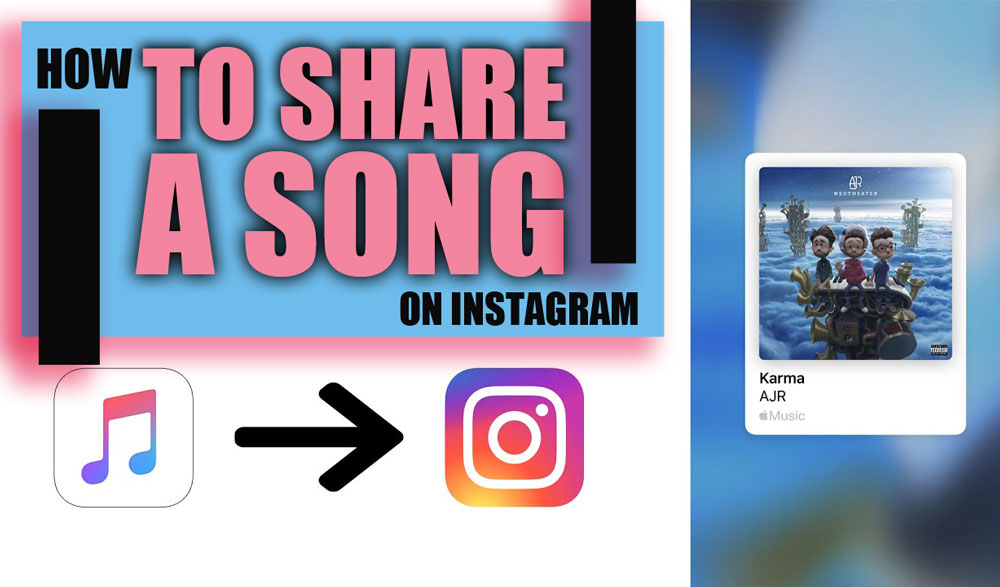
3.Sharing Music from Streaming Services (Mobile Apps)
Another popular way to share a song on Instagram is using streaming platforms. There are popular platforms for this:- Spotify Sharing
- Open a track on Spotify.
- Tap the Share
- Choose Instagram Stories.
- Strengths
- Apple Music Sharing
- Open the Apple Music app(iOS) and find the song you want to share.
- Tap the three-dot menu (•••) next to the song title.
- Select “Share Song.”
- Choose Instagram Stories from the sharing options.

Upsides
It creates a visual card with album artwork and a link to play the song. The signature Apple Music wave animation gives it a premium feel. While the Instagram music library doesn’t always include every Apple Music song, this method works around that by sharing directly from the source.- Other Streaming Platforms
- Open the song or track.
- Tap the three-dot menu or the Share button.
- Select Share> Instagram Stories.
Platform-Specific Notes
- TIDAL: Shares sleek album cover; followers can stream the whole track on TIDAL.
- SoundCloud: Minimalist Story with subtle branding; great for indie artists.
- JioSaavn: Quick visual Share; no playback link included.
- Wynk Music: Shares non-interactive album art snapshot.
- Shazam: Bridges music discovery and sharing moments.
- Gaana: Only the album cover image is shared; no deep link is provided is provided.
- Pandora: Displays album art and prompts followers to open the Pandora app.
- Deezer: Allows sharing up to five lines of lyrics for added flair.
Troubleshooting Instagram Music Sharing Issues
Despite Instagram’s tools, some users encounter issues when attempting to share a song on Instagram. Below is a detailed overview of common problems, their causes, and practical fixes or workarounds to help you get your music sharing back on track.| Category | Issue/Aspect | Causes | Fixes/Workarounds |
| Common Problems | 1. Music sticker missing in Instagram Notes or Stories | Outdated Instagram app The music feature is not activated Activity status disabled | Update Instagram app Enable activity status Switch to Creator or Business account Clear app cache or reinstall Instagram |
| 2. Songs unavailable or not playing audio in Stories | Regional or licensing restrictions Account type restrictions | Switch to a professional account Update app Check regional availability | |
| 3. Spotify share posts on Instagram Stories show no audio | Instagram music features rollback Music licensing and royalty issues A/B testing | Use Instagram Music Sticker Screen record Spotify audio and upload Use third-party video editors (like CapCut) Download Spotify Canvas videos | |
| Spotify Share Issues | Previously allowed clickable album cards with short music preview clips in Instagram Stories | Policy changes in Instagram or Spotify Licensing limitations | Share artwork, save Story, then re-upload with Instagram Music Sticker Screen record and upload Edit content with video editors |
| Spotify Instagram Story Sound | Shared Spotify songs post without any audio on Instagram Stories | Instagram music features rollback Licensing restrictions A/B testing causing inconsistent playback | Use Instagram Music Sticker to re-add audio Screen record with audio Edit and combine artwork/audio via third-party editors Use Spotify Canvas downloader for dynamic stories |
| Instagram Notes Music Issue | Music option not visible when creating Instagram Notes | Outdated Instagram app The music feature is not activated Activity status disabled Non-professional account | Update Instagram app Enable activity status Switch to Creator or Business account Clear cache or reinstall Instagram |
End Notes
The answer to “how to share a song on Instagram” has never been easier. By mastering the tools mentioned, you’ll turn silent posts into vibrant audio experiences that truly capture your vibe and connect with your followers. So go ahead! What’s the soundtrack of your day? Have you ever wished distributing audio was simpler? Which method do you use? Tell us your favorite way to share music on Instagram below and start a new jam session with your friends today! How to share music in Instagram Notes?
You can tap your profile in DMs, add a note with your music, and tap share.
How do I share a song on Instagram?
Songs can be added through Stories, DMs, or Notes using Instagram’s music features.
How do I share a Spotify song on my Instagram note?
Spotify songs aren’t supported directly in Notes; only Instagram’s built-in music library works.
How to send audio songs on Instagram message?
Music previews can be shared as 30-second clips directly in DMs using the Music sticker.
How do you share what song you’re listening to on Instagram?
Spotify or Apple Music allows you to share tracks to Stories, complete with visuals and sometimes previews.
How to share music in Instagram Notes?
You can tap your profile in DMs, add a note with your music, and tap share.
How do I share a song on Instagram?
Songs can be added through Stories, DMs, or Notes using Instagram’s music features.
How do I share a Spotify song on my Instagram note?
Spotify songs aren’t supported directly in Notes; only Instagram’s built-in music library works.
How to send audio songs on Instagram message?
Music previews can be shared as 30-second clips directly in DMs using the Music sticker.
How do you share what song you’re listening to on Instagram?
Spotify or Apple Music allows you to share tracks to Stories, complete with visuals and sometimes previews.
Related Instagram Guides
For more context and next steps, these shopee save guides cover closely related Instagram questions and tools.









Related Posts


Stay Informed With the Latest & Most Important News
Previous Post
Next Post






Loading Next Post...
love
I used the Instagram Highlights Downloader was good
shopee save
iam glad