

Now Reading: How to Copy Someone’s Instagram Captions? (4 Easy Tricks That Work)
-
01
How to Copy Someone’s Instagram Captions? (4 Easy Tricks That Work)

How to Copy Someone’s Instagram Captions? (4 Easy Tricks That Work)
You see a caption on Instagram that catches your attention, but you don’t know how to copy someone’s Instagram captions? You’d like to save it for later, and naturally, you attempt to copy it, only to realize that Instagram offers no clear option. To Copy Instagram Captions, there’s no “copy” button, no way to select the Text, and no simple solution. This is leaving you feeling perplexed and defeated. The good news? Waiting is over! Several easy workarounds in this guide allow you to copy Text from Instagram posts, no matter which device you use. Could you keep reading to discover them now?
Why You Can’t Normally Copy Instagram Captions?
In contrast to websites where Text can be selected, Instagram’s app presents captions and comments as part of the user interface rather than as regular Text. This implies:- App Design Restrictions: To preserve a clear and engaging user interface, the Instagram app has been designed to prohibit text selection.
- Content Protection: Instagram limits copying to prevent unauthorized reuse of user-generated content.
- No Right-Click or Long-Press: When you long-press a caption on a mobile device, a copy option will not appear.
Copying Someone Else’s Caption on Instagram? (4 Methods)
As workarounds to copy Instagram captions, there are still a few clever ways to help you. Discover 4 simple tricks to extract Text from Instagram posts on mobile and desktop without hassle. Start copying now; no technical skills or paid tools are required:· Copy Instagram Text Using a Web Browser (Desktop & Mobile)
Using the Instagram desktop mode, you can copy captions on your mobile browser or PC. This quick fix uses the browser’s text-selection features. Here’s a simple way to grab captions using a Web Browser like shopee save, SaveInsta, Toolzu, and InstaSave. These are some good web-based online tools you can use to copy or save Instagram captions. Consider that there is no app install needed:- Locate the post with the caption you wish to copy by opening the Instagram app.
- In the post’s upper-right corner, tap the three-dot menu (⋮ on Android or •• on iOS).
- The post’s URL can be copied to your clipboard by selecting Copy Link after selecting the arrow.
- Paste the URL into the address bar of an open web browser, such as Chrome or Safari.
- Log in to your Instagram account in the browser if prompted.
- Get the website’s desktop version here.
- To select Desktop Site in Chrome, tap the three dots menu.
- Choose Request Desktop Website in Safari by tapping the Aa in the address bar.
- To highlight the caption text, tap and hold it and then drag.
- To save the caption to your clipboard, select and copy Instagram text.
· Use Google Lens to Extract Text from Instagram Screenshots (iOS & Android)
Using Google Lens, you can copy Text from a screenshot to enable text extraction from Instagram. Don’t you know how? No problem. The guide to copy Instagram captions is here. This method works on Android and iOS, allowing you to grab captions from images easily.- Launch the Google Photos app.
- Locate the screenshot and open it.
- Press the Lens symbol located at the bottom of the screen.
- To copy Text, tap and highlight it, then select Copy Text.

· Apple Live Text (iOS Only)
Live Text allows iPhones running iOS 15 or later to extract Text from Instagram images. It is best for iPhone users who want a seamless, no-app-required method. It’s all built into your iPhone, making it one of the easiest solutions for iOS users:- Screenshot the Instagram post with the caption you want.
- Select the screenshot after launching the Photos app.
- You can tap the Live Text icon when you see an image with readable Text.
- To select the caption, press and drag. Then select Copy.
- Once copied, you can paste this Text anywhere.
· Third-Party Apps for Instagram Caption Text Extraction (Android)
For Android users who want a more advanced solution to copy Instagram captions, a free Android app called Universal Copy lets you copy Text from apps like Instagram. It recognizes and extracts text from your screen using accessibility services. Key Features
- Normal Mode: Copy Text from any app, including Facebook, Instagram, Twitter, and more, in normal mode.
- Scanner Mode (OCR): Text can be extracted from images using Scanner Mode (OCR), which supports a variety of character sets.
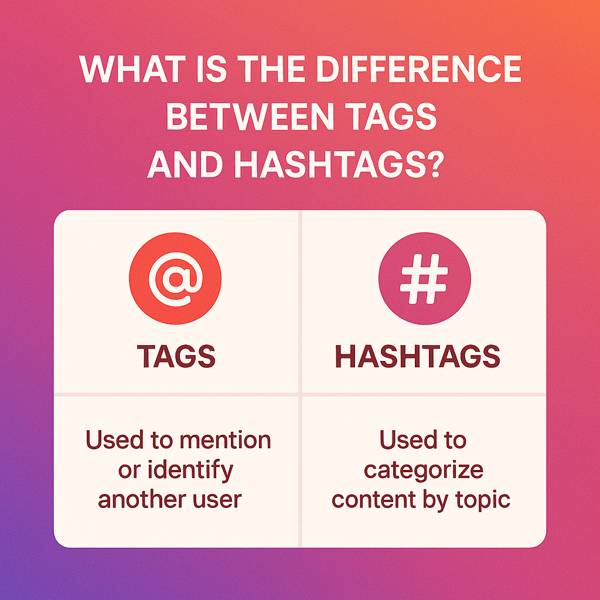
- Intelligent Detection: This feature recognizes entities such as phone numbers, addresses, emails, hashtags, and mentions automatically.
- Scroll Mode: Copy and select Text from several screens or applications.
- Install Universal Copy by downloading it from the Google Play Store.
- Enable the accessibility service in your device’s settings to activate the app.
- Launch Instagram, then find the post with the caption you want to copy.
- To activate it, pull down the notification panel and tap Universal Copy.
- You can copy Text by tapping and holding it, then choosing Copy from the menu that shows up.

Virtual characters social communication concept business flat vector hand drawn illustration
Comparison Table (Tools to Copy Instagram Captions)
| Tool / Method | Compatible Device | App Required? | Internet Required? |
| Desktop Browser Mode (Chrome/Safari) | Mobile, Desktop | No | Yes |
| Google Lens | Android, iPhone | No (Built into Google Photos) | Yes |
| Apple Live Text | iPhone (iOS 15+) | No | No |
| Universal Copy App | Android | Yes | No (OCR may need it) |
| SaveInsta / Toolzu / InstaSave | Mobile, Desktop | No (Web-based) | Yes |
Final Thoughts
By employing clever techniques, browser hacks, and potent tools, you know exactly “how to copy someone’s Instagram captions?” on an iPhone, Android device, or desktop. You won’t have to struggle with screenshots or manual typing anymore. Have you found a shortcut to copy Instagram captions on mobile or desktop? In the comments section, share your approach or experience with it. It could be the next brilliant trick someone has been looking for. Did you find this guide helpful? Please share it with your friends who struggle with Instagram, too; you might save them a ton of time. Copying captions has never been easier!
Virtual characters social communication concept business flat vector hand drawn illustration
2026 Practical Update
Copying captions is helpful for saving quotes, references, product details, or your own reusable text. Be careful with copyright and context. If the caption belongs to someone else, use it as inspiration or quote it with credit rather than reposting it as your own.
Before You Try It
- Copy your own captions into a reusable notes file.
- Give credit when quoting another creator.
- Check copied text for hidden line breaks or symbols.
- Use captions as research, not as duplicate content.
- Keep a swipe file organized by topic or campaign.
Quick Answers
Is copying a caption allowed? Saving text for reference is different from reposting someone else’s words as your own.
Why does copied text look messy? Instagram captions can include invisible line breaks, emojis, and formatting that need cleanup.
Related Instagram Guides
For more context and next steps, these shopee save guides cover closely related Instagram questions and tools.















alex
I used the profile picture download tool easily without registration you are great
shopee save
Thank you very much for your positive comments
Hiware 912
Instagram reels downloader
nikhil gaur
I need an Copy Instagram caption Do you have one?
shopee save
Yes, enter the link below.
https://shopeesave.com/copy-instagram-caption/